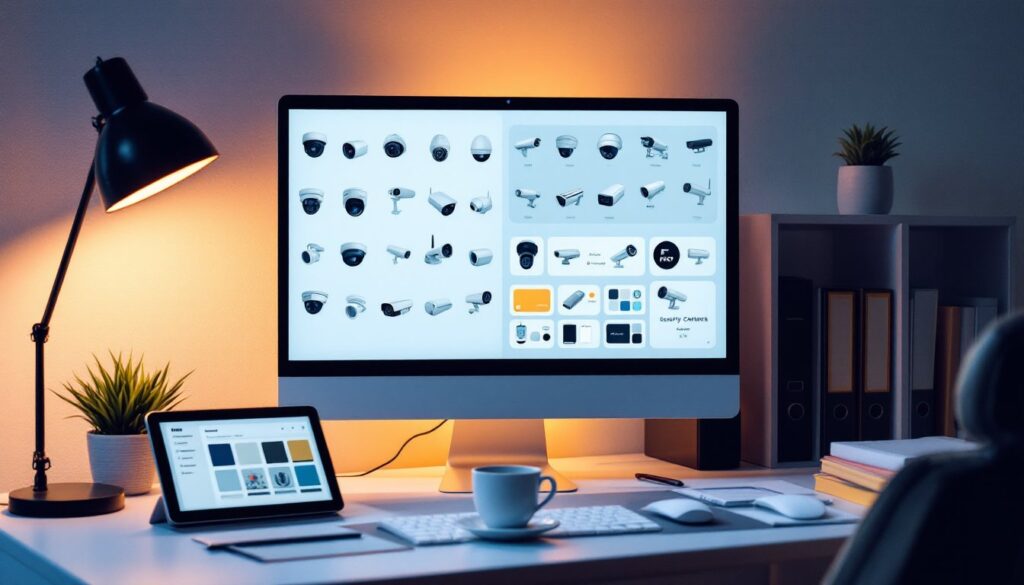
Whether you’re designing a home security system infographic, building a DIY project guide, or creating marketing materials for a security business, finding the right visual assets matters. Security camera clipart has become essential for anyone communicating about surveillance, safety, and property protection. Unlike hunting down custom photography or paying expensive designers, quality clipart offers a quick, affordable way to convey security concepts clearly. This guide walks through sourcing, selecting, and customizing security camera graphics that actually serve your project, no fluff, just practical solutions for getting the visual job done right.
Table of Contents
ToggleKey Takeaways
- Security camera clipart offers a fast, affordable alternative to custom photography for conveying surveillance concepts clearly across infographics, guides, and marketing materials.
- Choose realistic clipart for technical instructions and simplified icons for conceptual content; matching style to your audience and context ensures maximum impact and clarity.
- Free resources like Pixabay, Flaticon, and Pngimg.com work for budget-conscious projects, while paid platforms like Shutterstock and Envato Elements provide higher resolution and commercial licensing without restrictions.
- Always download security camera graphics in vector format (SVG or EPS) for scalability, use PNG with transparency for web, and test at actual display size before finalizing.
- Respect licensing terms, customize minimally to maintain professionalism, and organize your clipart library with clear naming to save time on future projects.
What Is Security Camera Clipart and Why It Matters
Security camera clipart refers to pre-made graphic illustrations of surveillance equipment, ranging from simple dome camera silhouettes to detailed mockups showing wiring, angles, and installation scenarios. These assets exist as PNG, SVG, or vector files, meaning they scale cleanly without pixelation, critical for print and web use alike.
Why does this matter for your project? A well-chosen security camera image communicates instantly. On a home security checklist, a clear clipart icon tells viewers exactly what you’re discussing. In technical documentation, it reduces confusion about camera types and placement. For DIYers setting up their own surveillance system, relevant graphics break up text-heavy instructions and make steps easier to follow.
The advantage over photography: clipart is royalty-free (depending on the source), lightning-fast to integrate, and easily customizable. You can change colors, add labels, or adjust sizing without hiring a designer or dealing with licensing headaches. For websites, security blogs, and instructional content, clipart strikes a balance between professional appearance and quick production.
Where to Find High-Quality Security Camera Clipart
Free Clipart Resources and Stock Libraries
If you’re watching your budget, several reputable platforms offer no-cost or low-cost security camera graphics. Pixabay and Unsplash focus on photography and vectors alike: search “security camera” or “CCTV” to find hundreds of usable images. Many are truly free, with no attribution required, though crediting the creator is good practice.
Pngimg.com specializes in transparent PNG clipart, including security equipment. You’ll find everything from simple webcam icons to full surveillance system diagrams. Openclipart is a community-driven library where artists donate vectors specifically for reuse.
Flaticon offers millions of icons and illustrations, including camera-related assets. The free tier requires attribution: the premium version removes that requirement. For basic icons and simple graphics, Flaticon delivers fast and clean results.
A word of caution: free doesn’t always mean highest quality. Download a few options, test them at your actual size and color scheme, and confirm they’re crisp. A blurry or pixelated camera icon can undermine your credibility.
Premium and Paid Clipart Platforms
When you need variety, higher resolution, or commercial licensing without attribution limits, paid platforms are worth the investment. Shutterstock offers millions of clipart assets, including extensive security camera collections. Subscriptions run $29–$249 per month depending on download limits.
Getty Images caters to professionals needing licensed content: pricing is higher but includes robust legal protection. Adobe Stock integrates seamlessly with Creative Cloud apps (Photoshop, Illustrator) and offers flexible credit-based purchasing.
Envato Elements provides subscription access to vectors, icons, and illustrations at a flat rate ($16.50/month for unlimited downloads). For DIY websites or instructional content creators, Envato’s security camera vectors are diverse and well-designed.
Creative Fabrica is often overlooked but offers clipart bundles and vectors starting at $10–15/month. It’s ideal if you’re building multiple projects and need a deep library without per-image costs.
For commercial use, always confirm licensing terms. Most paid platforms grant commercial rights automatically: free resources sometimes restrict commercial reuse, so read the fine print before using clipart on a client project or revenue-generating website.
How to Choose the Right Security Camera Images for Your Project
Start by defining your context. Are you illustrating a home security setup guide, a commercial surveillance article, or a product comparison chart? The style should match your audience’s expectations.
For technical or instructional content (like wiring diagrams), choose realistic or semi-realistic clipart that shows actual camera types, dome cameras, bullet cameras, PTZ units, or wireless models. Audiences following installation steps need to recognize the equipment they’re working with. A hyper-stylized cartoon camera might look cute but won’t help someone identify which model they’re holding.
For conceptual or marketing content (landing pages, infographics about security benefits), simplified icons or flat-design illustrations work well. These are clean, modern, and don’t distract from your message. A simple camera silhouette in your brand color is more memorable than a photorealistic image cluttered with technical detail.
Consider your color palette. Security industry graphics often use blues, blacks, and grays to convey trust and professionalism. But that’s not a rule, a light or colorful security icon can work in consumer-focused DIY content. Test your chosen clipart against your existing design and see if it feels cohesive or jarring.
File format matters. For web, PNG with transparency is standard. For print or high-resolution applications, download vector files (SVG or EPS) if available: they resize infinitely without quality loss. A raster image forced to 300 DPI for printing will look terrible, so don’t skip this step.
Finally, check diversity of the assets. If you’re building a tutorial with multiple camera types, make sure your clipart library has options. A single generic camera works for banners: a detailed guide needs variety in angles, models, and scenarios.
Best Practices for Using and Customizing Security Camera Clipart
Respect licensing. Even free clipart comes with terms. Check if attribution is required, whether commercial reuse is allowed, and whether you can modify the image. Ignoring these details can expose you to legal issues, especially on public websites or client work. Screenshot or save the license details for your records.
Customize thoughtfully. Most clipart works best with minor tweaks: changing colors to match your brand, adjusting opacity, adding labels or arrows, or cropping to fit your layout. Use Photoshop, Canva, Inkscape (free, open-source vector editor), or even online tools like Photopea for basic edits.
When modifying, keep the image crisp. Avoid extreme stretching or distortion, if a camera graphic is too small or too large for your layout, find a different asset rather than warping it. A stretched clipart looks cheap.
Pair clipart with text strategically. Security camera images work best when they complement your message, not replace it. Use clipart to break up long paragraphs, highlight key steps in a guide, or annotate diagrams, not to fill empty space or pad word count.
Test at actual display size. A beautiful clipart on your desktop may become unreadable when embedded in a website thumbnail or printed at small scale. Always preview how your chosen graphic appears in its final context. If it loses detail or clarity, try a simpler icon or larger placement.
Avoid over-customization. Just because you can add filters, drop shadows, or outlines doesn’t mean you should. Restraint makes professional designs stand out. A single-color camera icon with a subtle shadow beats a busy, multicolor version every time.
Organize your library. As you collect clipart, save them in a folder with clear naming: “camera-dome-blue.png,” “cctv-icon-simple.svg,” etc. This saves hours hunting for that one graphic months later. Include a spreadsheet noting the source, license type, and whether attribution is required, especially valuable if you’re managing content for multiple clients.
Conclusion
Security camera clipart is a practical, fast way to enhance instructional content, marketing materials, and DIY guides. Whether you source from free libraries like Pixabay and Flaticon or invest in premium platforms like Shutterstock or Envato, the key is matching the image style and quality to your project’s context and audience. Choose realistic graphics for technical guides, simplified icons for conceptual content, and always respect licensing terms. With thoughtful selection and minimal customization, the right clipart elevates your message without slowing production or draining your budget.