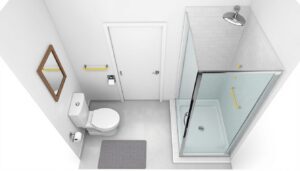
Whether tackling a kitchen overhaul or a full bathroom remodel, home remodeling software has become as essential as a tape measure. These tools help homeowners and DIYers visualize projects, track budgets, manage timelines, and catch costly mistakes before swinging a hammer. The right software bridges the gap between inspiration and execution, turning vague Pinterest ideas into detailed floor plans, material lists, and spending forecasts. This guide covers what to look for in home remodeling software and highlights practical options that’ll make your next project smoother and more efficient.
Table of Contents
ToggleKey Takeaways
- Home remodeling software enables visualizing projects and testing design ideas before committing to materials, helping catch costly mistakes like blocked doorways or poorly fitted cabinets.
- Budget tracking features prevent scope creep and spending overruns by displaying real-time costs versus original estimates, with most successful remodels reserving 10–15% contingency.
- Detailed material lists generated by home remodeling software reduce waste, prevent miscounts, and streamline coordination with contractors and multiple suppliers.
- SketchUp and Chief Architect lead for professional-grade designs, while Homestyler and RoomSketcher suit beginners; choose tools based on project scope rather than feature count.
- Free alternatives like spreadsheets paired with basic layout tools work well for small cosmetic remodels, while major kitchen or structural additions justify investment in comprehensive software.
Why Home Remodeling Software Matters for Your Project
Home remodeling software isn’t just a luxury, it’s a practical investment that saves time and prevents expensive mistakes. When you’re planning a remodel, the hardest part often isn’t the physical work: it’s knowing exactly what you need, where it goes, and what it’ll cost.
Plan-ahead thinking catches problems early. A good design tool lets you test ideas before committing to materials or labor. You can move a wall on screen, adjust cabinet heights, or experiment with tile layouts without tearing anything out. This visualization step catches conflicts, like an island that blocks a door swing or cabinets that don’t fit the space, before the contractor shows up.
Budget tracking keeps projects from spiraling. Remodels are notorious for scope creep: “While we’re at it, let’s upgrade the countertop” or “Those fixtures are on backorder.” Software that logs material costs, labor estimates, and running totals makes it harder to blow past your budget without noticing. You’ll see real-time spending versus your original estimate.
Material lists prevent waste and missed deliveries. Exporting a detailed list of dimensions, quantities, and specifications means fewer phone calls to suppliers asking “how much?” and fewer trips to the store because you miscounted. It’s especially valuable when coordinating with contractors or materials from multiple vendors.
Key Features to Look for in Home Remodeling Tools
Not all home remodeling software is created equal. The best tools for your project depend on the scope and your comfort with technology. Here’s what separates the useful from the clutter.
3D Visualization and Design Capabilities
A solid 3D design engine lets you walk through your project in virtual space before breaking ground. Look for software that imports accurate room dimensions (measure your space carefully on first use) and offers a large library of real-world products, cabinets, appliances, flooring, fixtures.
The best tools let you drag and drop items, adjust colors and materials, and see how light hits surfaces at different times. Some include realistic rendering so you’re not squinting at gray wireframes. A few even support AR (augmented reality) on mobile, so you can see how a design looks in your actual room using your phone camera.
Floor plan accuracy matters. The software should snap walls to grids, handle custom angles, and let you add utilities like electrical outlets, plumbing vents, and HVAC runs. If you’re coordinating with a contractor or working around load-bearing walls, a clear, dimensioned floor plan is worth its weight in gold.
Budget Tracking and Cost Estimation
Budget tools should let you assign costs to every item or category. A good system breaks costs into material, labor, and contingency so you understand where money actually goes. Some software syncs with supplier catalogs, pulling live pricing so your estimates stay current.
Look for exports that contractors can understand, CSV, PDF, or formats compatible with their estimating software. A few platforms link to databases of regional labor rates, though these are ballpark figures: always confirm with local professionals. Contingency warnings are helpful: most remodels should reserve 10–15% for surprises, and good software reminds you if your buffer is too thin.
Version control and revision history prevent confusion. If you’ve emailed three different iterations of a plan to your contractor, that’s friction. Cloud-based software lets everyone work from one current version, with notes on what changed and why.
Top Home Remodeling Software Options to Consider
Several platforms have become trusted standards among DIYers and pros. Here’s a practical breakdown of realistic contenders for different situations.
SketchUp is the industry standard for floor plans and 3D visualization. Its free version (SketchUp Free) works in a browser: the paid version (SketchUp Pro) runs on desktop. The learning curve is real, you’ll spend a few hours on tutorials, but the payoff is detailed, accurate models. A massive library of components and plugins means you can find realistic fixtures, cabinets, and materials. Many contractors already use it, which makes coordination seamless. Best for: detailed floor plans, structural visualization, and sharing files with professionals.
Homestyler is web-based and friendlier for beginners. Its drag-and-drop interface appeals to DIYers who want to design without technical training. You can furnish rooms, experiment with colors and textures, and generate 3D renders. The free version is limited but functional: paid plans unlock more templates and features. Its material library is growing but smaller than SketchUp’s. Best for: quick visualizations, furniture layout, and aesthetic exploration.
Chief Architect (Home Designer version) is purpose-built for home design. It includes detailed cost estimation, framing layers for structural work, and realistic renderings. The learning curve is steeper than consumer tools, but serious DIYers and pros use it for deck designs, kitchen remodels, and structural additions. The price reflects its capabilities. Best for: detailed remodels that require structural planning, cost breakdowns, and professional-grade output.
RoomSketcher sits between beginner-friendly and powerful. Its floor plan tool is intuitive: 3D walk-throughs are smooth and realistic. It integrates with some product databases for pricing. The interface is clean, and exports are straightforward. Cost is moderate. Best for: comprehensive remodels where design quality and usability both matter.
Houzz bridges design inspiration and project management. It’s image-focused, you pin ideas, match them with products, and share with contractors. The design tools are lighter than dedicated CAD software, but the product integration (linking to actual SKUs and pricing) is strong. Houzz also hosts contractor profiles, which can blur design and hiring into one platform. Best for: source inspiration, track product preferences, and coordinate with pros already on the platform.
Microsoft Excel or Google Sheets isn’t flashy, but honest work happens here. A simple spreadsheet tracks materials, quantities, costs, and sources. Pair it with free tools like Floorplanner (basic 2D layouts) or Canva (mood boards), and you’ve got a functional system for under $100. Best for: budget-conscious DIYers comfortable with spreadsheets who prioritize cost tracking over 3D rendering.
Choosing depends on your project scope, budget, and tech comfort. A small cosmetic remodel might need only a spreadsheet and a sketch. A major kitchen or addition justifies investing in software that handles structural elements and detailed costing.
Conclusion
Home remodeling software transforms abstract ideas into actionable plans. Whether you’re hiring contractors or going solo, a tool that visualizes your space, tracks costs, and generates clear material lists reduces surprises and keeps projects on track. Start with a free trial of the platform that fits your scope, then invest in paid features only if they’ll genuinely save time or money on your specific project. The best software is the one you’ll actually use, not the one with the longest feature list.